STAY INFORMED &
EXPLORE UNKNOWN

Decoding News, Psychology, and Paranormal Mysteries.

READ LATEST

CINEMATIC JOURNAL

ENGINEERING EXCELLENCE | ARCHITECTURAL COMPUTING

The Architect’s Ledger: A Comprehensive Analysis of AutoCAD in Modern Civil Infrastructure

In the vast landscape of Civil Engineering, few tools have achieved the legendary status of AutoCAD. Developed by Autodesk, this software has evolved from a simple 2D drafting program into a sophisticated, multi-dimensional engine that powers the world’s most complex infrastructures. For a Civil Engineer, AutoCAD is not just a software; it is a digital language used to communicate structural intent with absolute mathematical certainty.

As we navigate through 2026, the integration of AI and cloud computing has further cemented AutoCAD’s position. In this deep dive, we will explore the technical nuances, the workflow optimizations, and the structural methodologies that make AutoCAD the undisputed king of CAD software.

AutoCAD Software

Image: AutoCAD SOftware

1. The Mathematical Core: Coordinate Systems and Spatial Accuracy

The fundamental power of AutoCAD lies in its use of the Cartesian Coordinate System. Every line drawn in the workspace is backed by an X, Y, and Z coordinate. For Civil Engineers, this translates to the World Coordinate System (WCS) and the User Coordinate System (UCS).

In large-scale projects, such as urban city planning or highway design, engineers utilize Geographic Location features to map digital coordinates to real-world GPS data. This ensures that the digital blueprint aligns perfectly with the Earth’s topography. The precision offered—up to 16 decimal places—allows for the design of intricate mechanical components and massive structural foundations within the same file without losing fidelity.

AutoCAD Software

Image: AutoCAD SOftware

2. Structural Layers: The Philosophy of Organized Design

One of the most critical habits of a professional engineer is Layer Management. In a standard building project, a single drawing may contain architectural walls, structural reinforcements, electrical conduits, and plumbing layouts. Without layers, this would be a chaotic mess of lines.

By using the Layer Properties Manager, engineers can assign specific line weights, colors, and linetypes to different structural elements. For instance, "Centerlines" are often represented by dashed lines, while "Load-bearing Walls" use thick, continuous lines. This organizational structure is vital during the Clash Detection phase—where engineers overlay different systems to ensure that a plumbing pipe doesn't intersect with a steel beam.

AutoCAD Software

Image: AutoCAD Software

3. Dynamic Blocks and Parametric Intelligence

Efficiency in AutoCAD is achieved through Blocks—reusable collections of objects that behave as a single unit. However, the true advancement lies in Dynamic Blocks. A dynamic block allows an engineer to change the size, shape, or configuration of a block without exploding it. For example, a single "Door" block can be adjusted to various widths (750mm, 900mm, 1200mm) or flipped to change its opening direction with a simple click.

Furthermore, Parametric Drafting introduces geometric and dimensional constraints. By applying a "Coincident" constraint, you can ensure that two walls always stay connected, even if you move one of them. Dimensional constraints allow you to lock the length of a beam to a specific value or a formula, such as Length = Width * 2.5. This creates a "Smart Drawing" that updates itself based on engineering logic.

AutoCAD Software

Image: AutoCAD Software

4. Advanced Documentation: XREFs and Sheet Sets

In professional engineering firms, no project is a solo effort. External References (XREFs) allow team members to reference other drawings into their own without increasing the file size. This is essential for Version Control. If the Architect changes the floor plan, the Structural Engineer’s XREF updates automatically, ensuring everyone is working on the most current version of the truth.

To manage the hundreds of drawings generated for a project, engineers use the Sheet Set Manager. This tool automates the creation of "Plot Sets," manages title block information across all pages, and generates an automatic "Table of Contents" for the project. This level of professional documentation is what separates a student from a lead engineer.

AutoCAD Software

Image: AutoCAD Software

5. 3D Modeling and Photorealistic Visualization

While 2D plans are the legal standard for construction, 3D modeling in AutoCAD provides the insight needed for complex geometries. AutoCAD supports three types of 3D modeling:

  • Solid Modeling: Best for mass calculations and structural volume analysis.
  • Surface Modeling: Used for complex, organic shapes like tensile roof structures.
  • Mesh Modeling: Allows for free-form sculpting and more artistic architectural details.

By applying Materials and Lighting, engineers can use the Render command to create photorealistic images. This is crucial for stakeholder meetings, allowing non-engineers to visualize the impact of a project before it is built. It also helps in identifying aesthetic issues that might not be visible in a 2D plan.

AutoCAD Software

Image: AutoCAD Software

6. Automation and Scripting with AutoLISP

For the elite 1% of AutoCAD users, the software is a programmable environment. AutoLISP is a dialect of the Lisp programming language designed specifically for AutoCAD. With AutoLISP, you can write custom commands to automate hours of work into seconds. For example, you can create a script that automatically labels all the columns in a drawing and exports their coordinates to an Excel sheet for the site survey team.

🚀 AutoCAD Professional Shortcut Guide

Command Shortcut Engineering Use-Case
Line L Structural framing and basic outlines.
Offset O Creating wall thickness or parallel offsets.
Trim TR Cleaning overlapping structural intersections.
Hatch H Adding material textures (Concrete, Brick).
Dimension DLI Adding linear measurements for on-site execution.
Purge PU Clearing unused data to optimize file speed.

Conclusion

Mastering AutoCAD is a lifelong journey. It requires a blend of artistic vision, mathematical precision, and technical discipline. As infrastructure continues to evolve, AutoCAD remains the foundation upon which the modern world is built.


Watch Full AutoCAD Masterclass →
INDUSTRY 4.0 | STRUCTURAL INNOVATION

Engineering the Future: A Comprehensive Guide to Industry 4.0 in Civil Infrastructure

The field of Civil Engineering is currently undergoing a radical digital transformation, often referred to as Construction 4.0. We are moving away from static designs toward dynamic, data-driven ecosystems. In this era, the role of an engineer is shifting from a calculator-wielder to a systems architect who understands both physical loads and digital code.

Just as we debug complex asyncio loops in Python 3.14 to keep our automation bots running, modern engineers must now debug "Digital Twins" of entire cities to prevent structural failures before they happen.

AutoCAD Software

Image: Civil Engg.

1. Digital Twins and Real-Time Structural Health Monitoring (SHM)

One of the most advanced concepts in modern engineering is the Digital Twin. This is a virtual 1:1 replica of a physical structure—like a bridge or a skyscraper—that is constantly updated with real-time data from IoT (Internet of Things) sensors.

These sensors measure stress, strain, vibration, and temperature. By analyzing this data, engineers can predict exactly when a component will fail. This mirrors how we analyze Netlify Observability data; just as we look for spikes in 1,100+ requests to identify bot traffic, SHM systems look for micro-vibrations that signal internal cracks in concrete.

AutoCAD Software

Image: Civil Engg.

2. Advanced Material Science: Self-Healing and Carbon Capture

We are no longer limited to traditional Portland Cement. Modern Civil Engineering is embracing Smart Materials:

  • Self-Healing Concrete: Infused with limestone-producing bacteria that activate when cracks form.
  • Carbon-Negative Concrete: Materials that actually absorb $CO_2$ from the atmosphere during their lifespan.
  • Graphene-Enhanced Structures: Increasing concrete strength by 30% for thinner, elegant designs.
AutoCAD Software

Image: Civil Engg.

3. Generative Design and AI-Driven Optimization

Using Artificial Intelligence, engineers can now use "Generative Design." Instead of drawing one floor plan, you input your constraints (e.g., maximum weight, budget, sunlight requirements) into a script. The AI then generates thousands of possible designs and picks the most efficient one.

📊 Traditional vs. Modern Engineering

Feature Traditional Method Modern (Industry 4.0)
Design Tool 2D Paper/CAD 6D BIM & Digital Twins
Maintenance Reactive (Fix when broken) Predictive (IoT Monitoring)
Surveying Total Station (Weeks) Drone LiDAR (Hours)

Conclusion

The line between a Software Developer and a Civil Engineer is blurring. To build the cities of tomorrow, we must master the tools of today. Whether it is optimizing a floor plan in AutoCAD or writing a Python script to monitor real-time sensor data, the future belongs to those who can bridge the gap between the physical and digital worlds.

Watch The Future of Construction →
PARANORMAL INVESTIGATION | UNSOLVED MYSTERIES OF MUMBAI

Mukesh Mills: The Haunted Ruin of Mumbai Where Souls Still Wander

Mumbai, the city of dreams… a city that never sleeps. Its glamour, towering skyscrapers, and ocean waves attract everyone. But in the heart of this glowing Mumbai, near the coast of Colaba, lies a place that terrifies even the biggest Bollywood stars. A ruin where films are shot in broad daylight, but as soon as the sun sets, it is called the 'House of Death'. Today, we reveal the terrifying truth of Mukesh Mills, recognized as the Most Haunted Place in Mumbai. It is believed that the echoes of a horrific fire and tormented souls still reside within these walls.

1. The Glorious History and Fall of Mukesh Mills:
In the 1870s, when Mumbai (then Bombay) was becoming the hub of the cotton textile industry, the foundation of Mukesh Textile Mills was laid on the Colaba coast. In that era, this mill was not just the pride of Mumbai, but it provided a livelihood for thousands of workers. Its seaside location made trade effortless, and Mukesh Mills became famous worldwide. For decades, the mill echoed with the sound of machines and the hustle of laborers. However, a dark night in the late 1970s changed the fate of this mill forever. A massive fire engulfed the entire mill. Smoke rose for weeks, and countless workers lost their lives while history was reduced to ashes. A few years later, the famous mill strike of 1982 served as the final nail in the coffin, turning this mill into a permanent ruin.

2. Bollywood's Favorite but 'Cursed' Shooting Spot:
After its closure, the burnt walls, broken windows, and desolate seaside atmosphere of Mukesh Mills began attracting film directors. Many major films like 'Om Shanti Om', 'Badlapur', 'Kaminey', and 'Heropanti', along with hundreds of music videos, have been shot here. But interestingly, every crew that shoots here says the same thing—"There is someone here watching us." Many prominent actors and actresses have experienced things here that science cannot explain. This is why today, many film stars flatly refuse to stay at Mukesh Mills after 6 PM. An strange pressure is felt in this desolation that can make a person mentally uneasy.

Mukesh Mills Mumbai

Image: (Mukesh Mills Mumbai)

3. The Terrifying Incident: When an Actress was 'Possessed':
The most talked-about and scary incident at Mukesh Mills occurred during the shooting of a TV serial. According to eyewitnesses, a young actress was getting ready for a shot when her behavior suddenly changed completely. Her voice became heavy, and she started screaming in an unknown language. She warned the crew members to leave, and her eyes held a hatred that didn't seem human. The atmosphere became so horrific that shooting was stopped immediately. Later, when the actress regained consciousness, she remembered nothing. Since this incident, many production houses have stopped working night shifts here. Several crew members claim to have seen a shadow walking on the upper floor of the ruin, even though there is no way left to go up there.

4. Spine-chilling Experiences of Cameramen and Lightmen:
Often, lightmen and cameramen are the first to arrive and the last to leave a film set. Many lightmen working at Mukesh Mills have reported hearing someone whispering near their ears. Sometimes, their expensive equipment falls on its own, or camera batteries drain instantly despite being full. A cameraman shared that while focusing on an empty frame, he saw a blurry figure on the monitor, but when he looked away from the camera, no one was there. Thousands of such small and big incidents have become a daily part of life here, proving that the agony of that fire still lingers within these walls.

Mukesh Mills Ruins

Image: (Mukesh Mills Mumbai)

5. The Mystery of Ocean Waves and Burning Souls:
A part of Mukesh Mills is directly connected to the Arabian Sea. Local fishermen say that on new moon nights (Amavasya), they see flames rising from the ruins of the mill, but when someone goes closer to check, there is only darkness and silence. It is said that the workers who were burnt alive in that 1970 fire have never left the mill. They are still completing their unfinished shifts, or perhaps they resent the outsiders encroaching on their land. When the cold sea breeze passes through the broken girders of the mill, it creates a sound that resembles someone crying.

6. What Do Science and Paranormal Experts Say?
Several experts from the Paranormal Society of India have visited Mukesh Mills. They have recorded massive fluctuations in the 'Electromagnetic Field' (EMF) here. Experts believe that 'Residual Energy' remains in old and burnt buildings. This is a type of digital print that repeats the tragic events of the past. Although some consider it merely fear and superstition, the number of witnesses in the case of Mukesh Mills is so high that it cannot be dismissed as a mere coincidence. The smell of ash and fear is still embedded in the soil here.

7. The Terror After Sunset at Mukesh Mills:
Today, a large part of Mukesh Mills has collapsed and is covered by wild vegetation. Even security guards hesitate to go there alone. As soon as it strikes 6 PM, a mysterious silence descends over the entire area. The mill that was once the heartbeat of Mumbai's economy has now become a terrifying graveyard. Tourists are also advised to stay away from the main ruins. Once it gets dark, the noise of the ocean waves and the silence inside the mill create a terrifying combination that feels like a living nightmare.

Conclusion: An Unsolved Enigma:
Mukesh Mills is not just a ruin; it is a part of Mumbai's dark history that has been forgotten. This place reminds us that no matter how far we get in the race for progress, some memories and some souls are always left behind. Are there really ghosts here? Or is it just the fear of a burnt building? Perhaps the answer lies with those walls that cannot speak. But one thing is certain—if you are in Mumbai and want to feel an adrenaline rush, there is no place better (and scarier) than Mukesh Mills.

View Mukesh Mills Full Investigation →
CRIME FILES | GLOBAL SCANDALS

Jeffrey Epstein Files: The Dark Reality Behind Power and Protection

Imagine… if the world's most powerful people — Presidents, billionaires, and members of royal families — were linked to a man accused of the grave crime of child exploitation… and yet, that man roamed free for years, out of the law's reach. Today, we talk about the Jeffrey Epstein Files — a story that isn't just about individual crime, but exposes the truth of the entire system that operates behind the scenes. This is a story of — the power of limitless money, high-level political protection, and a cruel system that crushes the weak while acting as a shield for the influential.

1. Who was Epstein and where did his power come from?
Jeffrey Edward Epstein was born on January 20, 1953, in Brooklyn, New York. Without any specific degree or a major business background, he started as an ordinary school teacher. However, within a few years, he bought one of the most expensive homes in New York, owned a private jet, and even purchased an entire private island. The biggest question remains: how did Epstein become so wealthy? Some called him a "fixer" for billionaires, while others believe he was running a global blackmailing network to keep the world's powerful people under his control.

Epstein Files

Image: (Epstein Files)

2. The Dark Face and the Truth of the "Sweetheart Deal"
From the outside, Epstein appeared to be a suit-clad, high-society investor, but the life inside his Manhattan home and private island was terrifying. He lured young girls from vulnerable families by promising them careers and money. When the first police investigation began in 2005, the evidence was clear. But then came the world's biggest legal maneuver—the “Sweetheart Deal”. He was given a minor sentence of only 13 months, with permission to leave during the day for work. This deal didn't just save him, but also completely protected other major figures associated with him from the grip of the law.

3. Did he die in prison or was he silenced?
When he was arrested again in 2019, the whole world thought the truth would finally come out. But just a few weeks later, news broke that Epstein was found dead in his prison cell. Official reports labeled it a 'suicide', but several mysterious questions remain—why were the cell cameras malfunctioning that night? Why didn't the guards check on him? And why was his cellmate suddenly removed? Many experts believe he was killed so that he couldn't name the powerful people who were part of his dark network.

View Full Epstein Files Video →
UNSOLVED MYSTERIES | RAJASTHAN DIARIES

Kuldhara: The Cursed Village of Rajasthan that Turned into Ghostly Silence Overnight

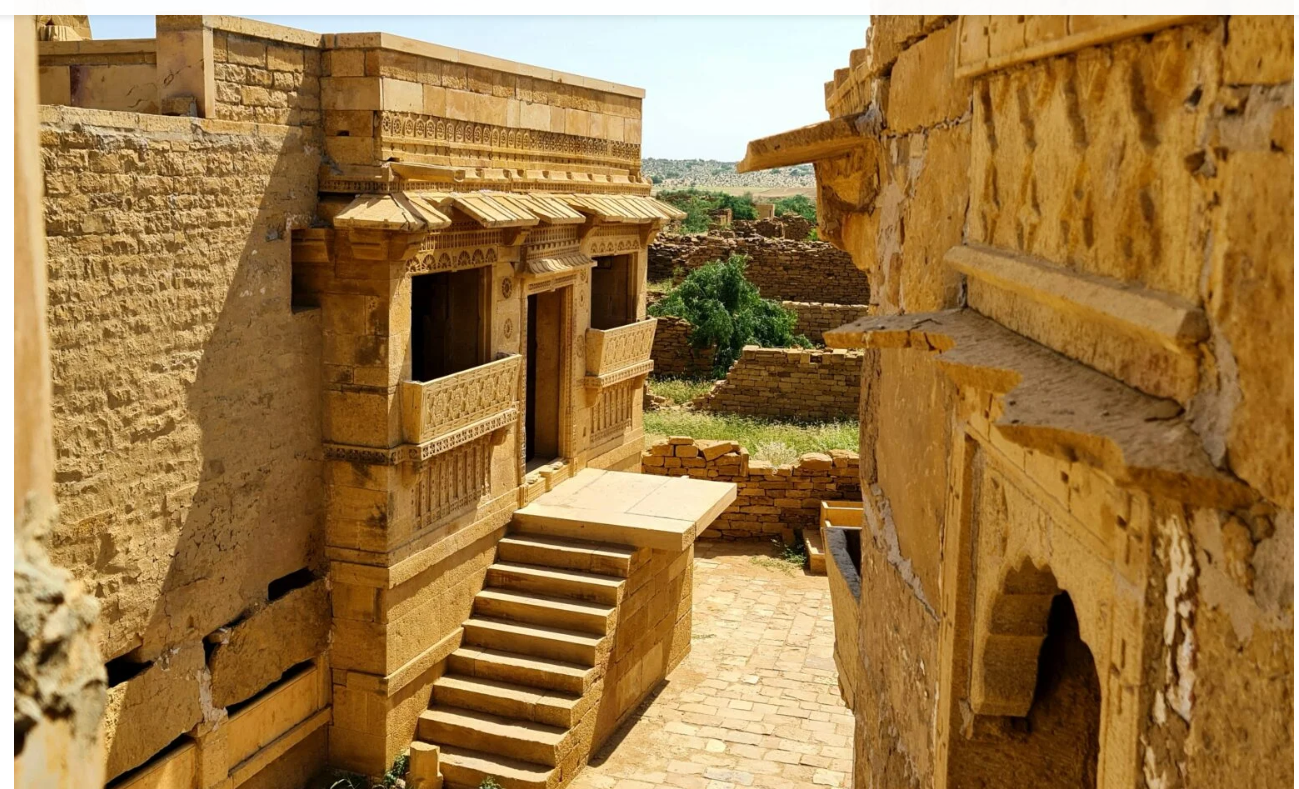
Nestled amidst the scorching sun and golden sands of Rajasthan, Kuldhara Village is not just a ruin today, but a mystery that science and history have yet to fully unravel. Located about 18 kilometers from Jaisalmer, this village was once the hub of the intelligence and prosperity of Paliwal Brahmins. But today, its desolate streets and broken walls tell a terrifying tale that can give anyone goosebumps.

1. An Unmatched Example of Prosperity and Technique:
When the Paliwal Brahmins settled this village in the 13th century, they made life possible even in a difficult terrain like the desert. Their water management system was so advanced that they could farm throughout the year. The architecture of Kuldhara's houses was such that the temperature inside remained cool even in the extreme heat. This was not just a village, but a developed and happy civilization where people were skilled in trade and agriculture.

2. Salim Singh's Tyranny and the Dark Decree:
The cause of Kuldhara's destruction was not a natural disaster, but human greed. The Diwan of Jaisalmer, Salim Singh, notorious for his cruelty, set his eyes on the beautiful daughter of the village chief. He gave an ultimatum to the villagers that if the girl was not handed over to him, he would impose such heavy taxes on the entire village that their future generations would be ruined. For the Brahmins, this was a battle for their self-respect and honor.

Kuldhara Rajasthan

Image: (Kuldhara, Rajasthan)

3. The Mysterious Exodus and the Dreadful Curse:
To save their daughter and the dignity of their society, the people of 84 villages including Kuldhara took a decision that changed history. In a single night, thousands of people vanished, leaving behind their homes, property, and memories. The biggest puzzle is where so many people went overnight without making any sound; no clue has been found to this day. As they left, they cursed this soil, saying, "No one will ever be able to settle on this land again."

4. Do Souls Still Wander Here Today?
Today, Kuldhara is a protected site, but staying here after sunset is strictly prohibited. Paranormal researchers have found in their investigations that the temperature here drops suddenly and strange EVPs are recorded in their machines. Tourists have often claimed to hear children playing and women whispering in the empty alleys. Many feel as if an invisible shadow is following them.

Kuldhara Full Video →
PROGRAMMING SCRIPTURES | Ultimate Python Guide 2026

The Complete Knowledge of Python Programming: A Journey from Basics to Advanced Engineering

In today's era, Python is no longer just a programming language; it has become the heartbeat of Artificial Intelligence (AI), Data Science, and Automation. Its simplicity is its greatest strength. Python's syntax is so clean that reading it feels like reading an English book. In this detailed guide, we will dive so deep into every aspect of Python that after reading this blog, you will feel like a coding expert.

Python Language

Image: (Python Language)

1. Installation and the Beginning of Coding (Setup & Hello World Deep Dive):
The first and most exciting step in any coder's journey is preparing their computer for Python. Downloading the latest version from the official Python website, installing it, and most importantly, setting up the 'Environment Variables' (Path) is the foundation upon which your entire coding structure stands. After this, when you run your first command `print("Hello World")`, you aren't just printing text; you are instructing the computer's hardware to convert your 'High-level code' into 'Binary language' and display it on the screen. This small program is the official announcement of your entry into the world of coding.

2. The Complex Science of Data Types and Variables (Data Types & Numbers):
Understanding data in Python is like learning the alphabet of a language. Here, Integers are numbers without decimals, while Floating Points are used when we need highly precise calculations (like 3.14159). The science behind them is how the computer manages memory. When we create Variables, we are actually reserving a small portion of the computer's RAM and giving it a name. Python features 'Dynamic Typing', which means you can store a number in a variable at one moment and text the next. Along with this, Math Functions like `pow()`, `sqrt()`, and Operator Precedence (mathematical priority) ensure that even your most complex calculations are perfectly accurate.

3. The Craftsmanship of Strings and Text (Strings, Formatting & Escaping):
Strings are the most beautiful form of data in Python. A string is essentially a sequence of characters. Python gives you the freedom to join multiple messages together through String Concatenation. Formatted Strings (f-strings) are a modern Python feature that is much faster and easier than old coding styles. In this, you can prepare your message by writing variables directly inside curly braces `{}`. Meanwhile, Escape Sequences like `\n` (new line), `\t` (tab space), and `\\` (backslash) give you the power to format the text exactly as you want. The role of Type Conversion (type casting) becomes crucial here, as we often need to convert text data received from users into numbers for mathematical calculations.

Python Coding

Image: (Python Language)

4. The Web of Data Structures (Lists, Dictionaries, Tuples & Matrix):
As your program's complexity grows, you need better containers to organize data. Lists are Python's most flexible structure—it’s like a cupboard where you can keep all kinds of data (numbers, text, and even other lists). Matrix (Multi-dimensional Lists) is used when we need to manage data in a grid or table format (like an Excel sheet). Dictionaries are called the 'Mastermind' of Python because they work on 'Hash Map' technology. In this, you can reach the 'Value' (data) directly through a 'Key', making data search speeds faster than lightning. Finally, Tuples come in, which are for data you want to make "immortal" or 'Immutable'—meaning it cannot be changed after being written. None is used here as a 'Placeholder', indicating that no information currently exists at that spot.

5. Decision Power and the Cyclone of Loops (Conditionals & Control Flow):
A program is only considered smart when it can make its own decisions. Through Conditional Statements (If-Else), we create a 'Brain' within the code. By using logical operators (AND, OR, NOT), we can build highly complex conditions. To eliminate the boredom of doing the same task repeatedly, Loops were created. For Loop is used when we know where the journey ends (like reaching the end of a list). While Loop is like a stubborn child that keeps working until its condition is no longer met. To master loops, understanding commands like Break (exit immediately), Continue (skip to the next iteration), and Pass (leave empty) is essential. The `range()` function acts like an engine here, supplying the numeric fuel to run the loop.

Python Programming

Image: (Python Language)

6. The Magic of Functions and Advanced Parameters (Functions, *args & **kwargs):
The greatest hallmark of a skilled programmer is following the 'DRY' (Don't Repeat Yourself) principle. Functions allow us to give a name to a block of code and use it repeatedly. When the number of inputs is uncertain, the magical use of *args (which packs data into a tuple) and **kwargs (which packs data into a dictionary) comes into play. This technique makes Python the most 'Scalable' language in the world, allowing you to create functions that can handle anything from one input to a million without crashing.

7. Automation of Libraries, Packages, and File Systems (Imports & File IO):
Python's true power lies hidden in its 'Standard Library' and 'Third-party Packages'. Through the Import statement, you can include the work of great developers from around the world into your code. Then comes File IO—this is the part where your code talks to your computer's hard drive. You can create files, read data from old files (Reading), add new information (Appending), and modify them completely. This is the most critical part of data processing and office automation.

8. The War Against Error Handling and Bugs (Error Handling & IO):
Errors in coding are as natural as a human breathing. But a professional coder is one who knows how to 'Handle' their mistakes. Through Error Handling (Try-Except-Finally), we put a protective shield around our program. If a user enters wrong data or a file is missing, your program handles that error gracefully instead of just giving a 'Crash Report'. This is the technique that transforms your simple code into 'Industrial Grade Software'.

Conclusion:
This epic journey of Python doesn't end here; rather, it is just the beginning of your infinite possibilities. Everything you have read today, from variables to error handling, is just one constellation in the vast universe of coding. The only secret to learning coding is—'Practice'. The more you move your hands on the keyboard, the stronger your logic will become. Remember, Python is not just a tool; it is a medium to turn your creativity into reality.

Python Full Hindi Course : View →
PARANORMAL INVESTIGATION | DEEP MYSTERIES OF BUNDELKHAND

The Terror of Chauka Village: The Deserted Village of Madhya Pradesh Where Silence Tells Tales of Death

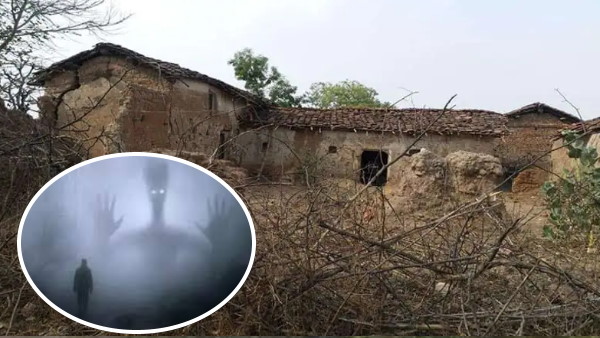
It is 11 PM… there is a strange chill in the air that shivers you to the bone. A silence so thick prevails that you can almost feel it with your eyes. No human voice is heard, nor is there a tiny ray of light for miles. Right in front of you is a desolate, stony road, flanked by silent, centuries-old stone houses that once buzzed with happiness. But the biggest and most piercing question is: if these are just lifeless structures of brick and stone, why does no human dare to live here? Today, friends, we take you on a digital journey to a mysterious village in the Chhatarpur district of Madhya Pradesh, whose name alone makes people from neighboring villages change their path. The name of this village is — Chauka Village. As soon as the sun sets in these streets, a reign of terror begins that is beyond the capacity of an ordinary human to face.

1. The Desolation of Chauka: A Tragic End to a Glorious Past:
The historic Bundelkhand region of Madhya Pradesh is known for its bravery and culture, but within this very region, Chauka Village has turned into a 'Ghost Village'. Today, when you step here, you see only sagging wooden doors, broken roofs, and dust-filled courtyards that once sparkled with festive cheer. But about 25-30 years ago, this village was not like this. Elders say that Chauka was once overflowing with the vibrance of life. The laughter of children echoed in the streets, women went in groups to fetch water from the well, and in the evening, the entire atmosphere was sanctified by the bells of the local temple. Farmers toiled in their fields, and stories were told in night gatherings. But today, only walls remain, not voices. This sudden mass exodus remains a major puzzle for researchers. Was this migration truly due to a lack of facilities, or was there a spiritual reason that forced thousands of people to abandon their ancestral land?

2. The First Hint of Terror: The Incident That Shook the Village Foundation:
According to locals and old-timers, this dark cycle of fear in Chauka began about two decades ago. The first incident happened to a very brave and hardworking farmer. He was returning home late at night after irrigating his fields. As he entered the main road marking the village boundary, he suddenly felt someone walking right behind him in the dense darkness. Initially, he ignored it, thinking it was the sound of a wild animal or cattle. But as he quickened his pace, the footsteps behind him became faster and heavier. When he gathered all his courage and looked back, no one was there—only a piercing, deep silence. That farmer was so terrified that night that he suffered from a high fever for weeks. In his delirium, he repeatedly said, "Someone is watching me." This was where an unknown fear began to dissolve into the village air, which was eventually to swallow the entire community.

3. The Invisible Shadow and a Woman's Mysterious Experience:
Just a few weeks after the farmer's incident, another event occurred with a village woman that filled people's hearts with eternal dread. The woman was going towards the well near her house at night. Suddenly, she heard the heart-wrenching sound of a small child sobbing behind the nearby bushes. Being a mother, driven by maternal instinct, she moved towards the sound. As she moved forward, she felt the temperature drop suddenly and the air become heavy. Then she felt a sudden forceful push and her foot hit an invisible object. She fell hard to the ground and lost consciousness. The next morning, when the villagers found her in a lonely field on the outskirts, everyone's soul trembled. Her clothes were completely wet, and there were scratches on her body as if someone had dragged her through thorny bushes. The scariest part was that when she regained consciousness, she didn't remember a single thing about that night.

Chauka Village Ruins

Image: (Chauka Village, Madhya Pradesh)

4. The White Shadow and the Haunting Tale of the Floating Woman:
The fear reached its peak when an educated youth saw with his own eyes something enough to disturb any human's mental state. The youth was returning from a nearby town at midnight and was passing through Chauka Village on his bicycle. Suddenly, he saw a shadow standing in the middle of the road. On getting closer, he saw it was a woman—in a white dhoti, with long black hair waving in the wind. The woman requested him in a very calm voice to drop her inside the village. Taking pity, the youth agreed. But after covering a short distance, his eyes fell on the woman's feet. He noticed that her feet were not touching the ground at all; instead, she was floating a few inches above the earth. As the youth looked back in terror, the woman vanished with a horrific laugh. In the morning, the youth was found unconscious under the village's old Peepal tree. This incident broke the collective courage of the entire village.

5. The 'Dark Night' and the Horrific Truth of Mass Migration:
In the history of Chauka Village, that 'Dark Night' is still like a fresh wound in the minds of the elders. It is said that something happened that night which accelerated the migration a thousand times over. Suddenly, all the dogs in the village began to cry in unison. The sound was so terrifying that people covered their ears. Then, suddenly, the heavy wooden doors of many houses began to open and slam shut with great speed. There was such a noise throughout the village as if an invisible army was marching through the streets. Many families claimed that inside their closed rooms, they heard heavy breathing and whispering. Small children began to scream in their sleep, saying that a black shadow standing outside the window was calling them into the darkness. The entire village stayed awake that night with burning torches. As soon as the first ray of sun touched the land of Bundelkhand, dozens of families packed their essentials, cattle, and jewelry, and left their generations-old heritage forever.

6. Statements from Local People: Eyewitness Testimony of Fear:
When our team tried to talk to the few families living there today, the fear is still clearly reflected in the wrinkles of their faces. An elderly woman pointed with trembling hands and said, "Son, this village was our life, but now at night, even the silence bites. Sometimes it feels like someone is running on the roof, and sometimes the sound of falling utensils comes when there is no one in the house." Another youth, still living there due to compulsion, said he doesn't want to believe these things, but many times when he is alone at night, he feels someone is constantly staring at him from behind. These statements may not be provable in a lab, but the fear visible in these people's eyes is completely real and terrifying.

Ghost Village Chauka

Image: (Chauka Village, Madhya Pradesh)

7. Psychological Truth and the Scientific Logic of 'Fear Priming':
Experts and psychologists say that when an area gradually becomes empty, its natural silence and increasing darkness begin to create terrifying imaginations in the human brain. In scientific terms, this is called 'Fear Priming'. When our brain has already heard scary stories about a place, it perceives every normal event as a threat. A gust of wind sounds like footsteps, the crooked shadows of trees look like ghostly figures, and the sound of old doors feels like a scream. It is possible that Chauka Village also became a victim of this 'Collective Hysteria'. Water scarcity and economic crisis started the migration, and the desolation gave that migration the color of a 'ghostly' tale.

8. Our Personal Experience: What Did We See That Night?
When we entered the streets of Chauka Village with our team at around 10:30 PM, a strange heaviness was felt in the atmosphere. As the bright light of our torch fell on those dusty ruins, it felt as if a shadow had just hidden behind a wall. Near an old school building, we felt a sudden drop in temperature. When we tried to open a room door, it was locked from inside, but as soon as we turned back, the door opened fully on its own. Was it air pressure? Or are there truly some restless souls from the past still trapped in those cracks of Chauka Village wanting to mark their presence? This experience makes us think that there are many things in the world for which even modern science currently has no answer.

Conclusion: An Unsolved Chapter:
Chauka Village still buries many secrets in its chest for which answers may never be found. Is there truly an ancient curse here, or is it just the tragic story of a dissolving society? Whatever it may be, the air of Chauka Village still holds a pull and a fear that makes any rational person think. This village reminds us that fear is not always in the outer world; many times it resides in our memories and our emptiness. Do you have enough courage to spend a night in those dark alleys of Chauka Village? We leave that decision to you.

View Full Ground Report →
HISTORICAL MYSTERIES | UNSOLVED TALES

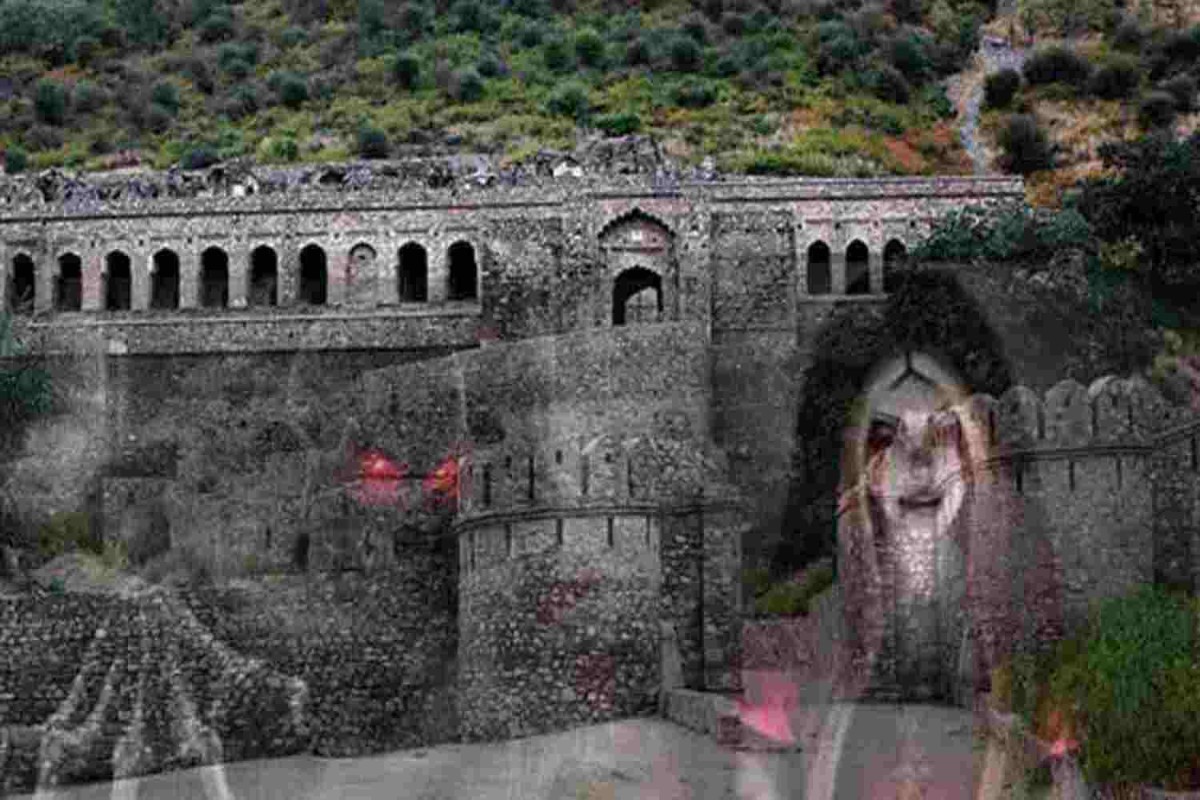
The Great Mystery of Bhangarh: The Truth Behind Asia's Most Haunted Place and Princess Ratnavati's Cursed City

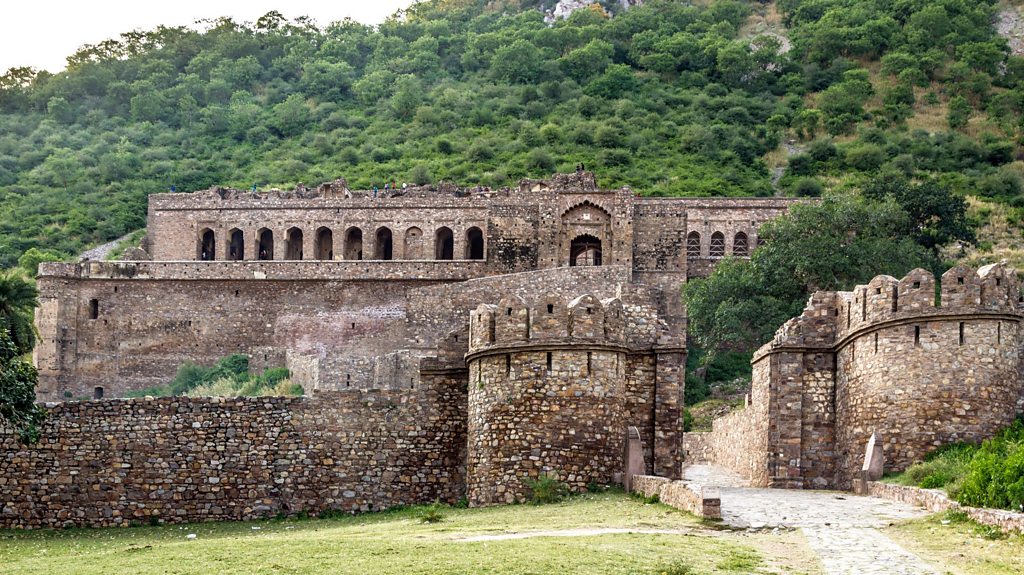
On this great land of India, history is not just confined to the ink of books and dusty files; rather, a living soul resides in every stone, every ancient temple, and every single ruin. Our country is home to many such places where the hustle and bustle of tourists prevail in daylight, but as soon as the sun vanishes behind the hills, a silence descends that even the bravest warriors fear to pierce. Today, we take you on a journey to Bhangarh Fort, located in the Alwar district of Rajasthan, officially considered not just India’s, but Asia's most haunted location. This is a city where stepping foot after sunset is not only dangerous but also a legal offense according to the regulations of the Government of India.

1. Geographical Location and Mysterious Surroundings of Bhangarh:
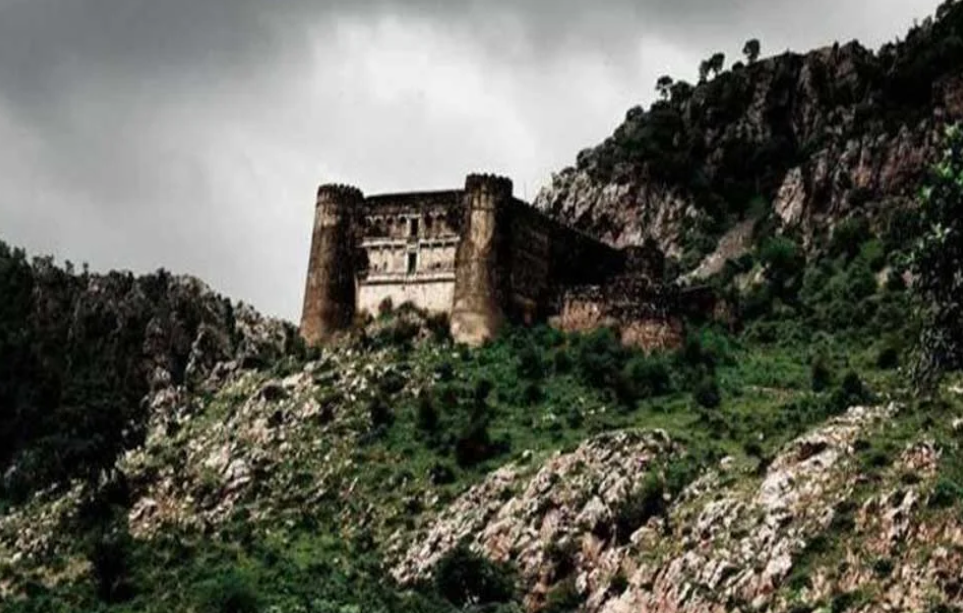
Nestled amidst the ancient and towering peaks of the Aravallis, Bhangarh Fort creates a shiver in the heart at first sight due to its structure and desolation. Even in the scorching heat of Rajasthan, when you enter the boundary of this fort, a strange chill and heaviness can be felt in the air. Thousands of tourists visit during the day, capturing the magnificent architecture in their photographs, but as the evening glow begins to fade, the entire view of the fort transforms. The dark shadow of the Aravalli hills engulfs the fort as if trying to hide it from the world's eyes forever. The broken palaces, ruined temples, and the deserted market streets stand today only as witnesses to the silence. It feels as if the wheel of time stopped abruptly centuries ago, and the city continues to mourn its own destruction.

2. The Construction and Glorious History of Bhangarh:
Delving deep into the pages of history reveals that Bhangarh was built in the year 1573. The foundation of this grand city was laid by Madho Singh, the younger son of the powerful King Bhagwant Das of Amer. Madho Singh was no ordinary person; he was an extremely brave and clever general in the army of Mughal Emperor Akbar. Under his reign, Bhangarh gained immense fame not only strategically but also culturally. Due to its location among the hills, the fort was considered impregnable. Madho Singh settled this city in such a way that its security, water management, and trade routes were the best of that era.

Bhangarh Fort Rajasthan

Image: (Bhangarh Village, Rajasthan)

3. The Golden Age of Bhangarh: An Era of Prosperity:
There was a time when Bhangarh was considered the most prosperous and modern city in Rajasthan. Historians note that the main market (Johari Bazaar) traded in precious gems, velvet, and silk. The city streets were lined with magnificent havelis featuring intricate stone carvings. Madho Singh's love for art and music is still visible today in the grand temples and dance halls (Nartanshala). In the evenings, when prayers were held in the temples and musical gatherings adorned the royal court, the entire city was bathed in light and joy. Back then, no one could have imagined in their wildest dreams that this vibrant city would one day become a heap of ruins, inhabited by haunting memories instead of humans.

4. Princess Ratnavati: A Confluence of Beauty and Intelligence:
The name most discussed in the entire history of Bhangarh is Princess Ratnavati. Daughter of King Chatarsingh, she was considered one of the most beautiful princesses of India in that era. Tales of her beauty were so widespread that kings and princes from distant states would come to Bhangarh with marriage proposals. However, Ratnavati's personality was not limited to her beauty; she was an extremely sharp politician, an art lover, and skilled in warfare. Her intelligence earned her great respect among her subjects. But often, great beauty brings unwanted dangers, and this very beauty of Ratnavati became the reason for her city's downfall.

5. The Arrival of Tantrik Singhia and His Dark Obsession:
Where there is prosperity and light, a shadow of darkness often finds its way. In the caves of the hills near Bhangarh lived a sorcerer named Singhia. Singhia was no ordinary sage; he was considered a master of 'Vam-Margi' rituals and black magic. He possessed occult powers that made people tremble with fear. Once, when Singhia saw Princess Ratnavati in the market with her friends, he lost his heart to her beauty. He knew it was impossible for an ordinary sorcerer to marry a princess of a royal house. However, Singhia’s attraction soon turned into a manic and destructive obsession. He vowed to obtain Ratnavati through the power of his dark arts.

Princess Ratnavati Legend

Image: (Bhangarh Village, Rajasthan)

6. The Scented Oil and the Sorcerer's Final Move:
To bring the princess under his control, Singhia devised an extremely cunning and dangerous plan. He learned that Princess Ratnavati was very fond of fragrant perfumes (ittar). One day, when the princess's maid arrived at the city market to buy perfume, Singhia used his mystical powers to cast a 'Vashikaran' spell (hypnotic charm) on a specific bottle of oil. His goal was that as soon as the princess applied even a single drop to her body, her mind would no longer be her own, and she would be drawn irresistibly to the sorcerer’s hut. This was Singhia's final and greatest attack on the dignity of the princess and the honor of Bhangarh.

7. The Princess's Wisdom and the Death of the Sorcerer:
Princess Ratnavati was famous not just for her looks but also for her sharp intuition. As soon as the bottle of perfume reached her chamber, she felt a surge of negativity in the atmosphere. She looked closely at the bottle and sensed the sorcerer's sinister plot. Without a second thought, she threw the bottle out of the palace window onto a massive rock nearby. The effect of the occult power was so intense and inverted that as soon as the oil hit the rock, the boulder became heavy and began rolling down the hill directly toward Singhia's hut. The sorcerer was trapped in his own snare, and the massive rock crushed him.

8. The Destruction of Bhangarh: The Great Curse:
It is said that as Tantrik Singhia lay dying under that rock, taking his final breaths, he channeled all his dark energy into a curse. He roared, "I may be dying today, but Bhangarh will never live in peace! This city will be ruined overnight, and every soul living here will remain trapped within the walls of this fort. Joy will never return here!" Shortly after the sorcerer's death, a mountain of calamities fell upon Bhangarh. A fierce war broke out between the neighboring kingdom of Ajabgarh and Bhangarh. In this war, Bhangarh's army was brutally defeated, and thousands of innocent people were killed. Princess Ratnavati also fell victim to that massacre. Due to the influence of the curse, it is believed even today that the souls of those killed in the war never found liberation and are still wandering the ruins.

Ruins of Bhangarh

Image: (Bhangarh Village, Rajasthan)

9. Present Day Bhangarh: Do Ghosts Really Live Here?
Today, Bhangarh Fort is under the jurisdiction of the Archaeological Survey of India (ASI). A board at the main gate explicitly states that staying here after sunset is strictly prohibited. Many locals and tourists claim that at night, sounds of women crying, the tinkling of anklets, and the clashing of swords can be heard. Some paranormal experts have also recorded strange changes in the 'Electromagnetic Field' here. While science may dismiss these as 'mental illusions' or 'air pressure', any sensitive person can feel the desolation and the negative energy spread across Bhangarh.

Conclusion: An Unsolved Chapter:
Bhangarh Fort remains one of India’s biggest and most unsolved mysteries. Is it the power of a sorcerer's curse, or simply the result of a historical tragedy? Whatever it may be, every brick of Bhangarh still stands as a witness to Princess Ratnavati's beauty and the sorcerer's dark obsession. This place reminds us that some wounds in history are such that even time can never heal. This fort is still the abode of thousands of souls who, perhaps, are still waiting for liberation from the sorcerer's curse.

Bhangarh Fort Live Exploration →

LEO Author
The Researcher

Hi, I'm LEO

Welcome to LEO — where curiosity meets the unknown.

Dive deep into a world beyond the ordinary. On this website, we uncover hidden truths, explore haunted places, decode human psychology, track the share market, and bring you real stories from the edges of reality.

From breaking news and travel vlogs to paranormal investigations and mind-bending insights — LEO is your destination for content that challenges perception and fuels discovery..

5+ Years of Research 50+ Investigations

Let's Collaborate